Loading
Main Pages
Home About Contact
Diagnostic Guides
HDD Health & Diagnostics RAM Testing Methods CPU Temperature Monitoring POST Error Codes Explained Reading SMART Data
Legal
Privacy Policy
PC Diagnostics Knowledge Base

Know What's Wrong
With Your Hardware

Practical, no-fluff guides for checking HDD health, testing RAM, reading CPU temperatures, and decoding error codes — written for real users running Windows 11.

Computer motherboard with connected wires
5
Guides
100+
Error Codes
Free
Always

What Would You Like to Diagnose?

Each guide covers a specific hardware component with step-by-step instructions, tool recommendations, and common failure patterns.

HDD Health Diagnostics

Learn to identify early signs of hard drive failure using built-in Windows tools and third-party utilities before data loss occurs.

Read Guide →

RAM Stability Testing

Understand how to run memory diagnostics, interpret test results, and determine whether faulty RAM is causing system crashes.

Read Guide →

CPU Temperature Monitoring

Find out what normal and dangerous CPU temperatures look like, and how to reduce thermal throttling on your processor.

Read Guide →

POST Error Codes

Decode the beep sequences and numeric codes your motherboard produces during startup to pinpoint hardware faults quickly.

Read Guide →

Reading SMART Data

SMART attributes hold the story of your drive's health. Learn which values matter and what thresholds signal imminent failure.

Read Guide →

Windows 11 Error Analysis

Common Windows 11 stop codes and blue screen errors explained with practical steps to isolate the faulty hardware component.

Read Guide →

In-Depth Diagnostic Guides

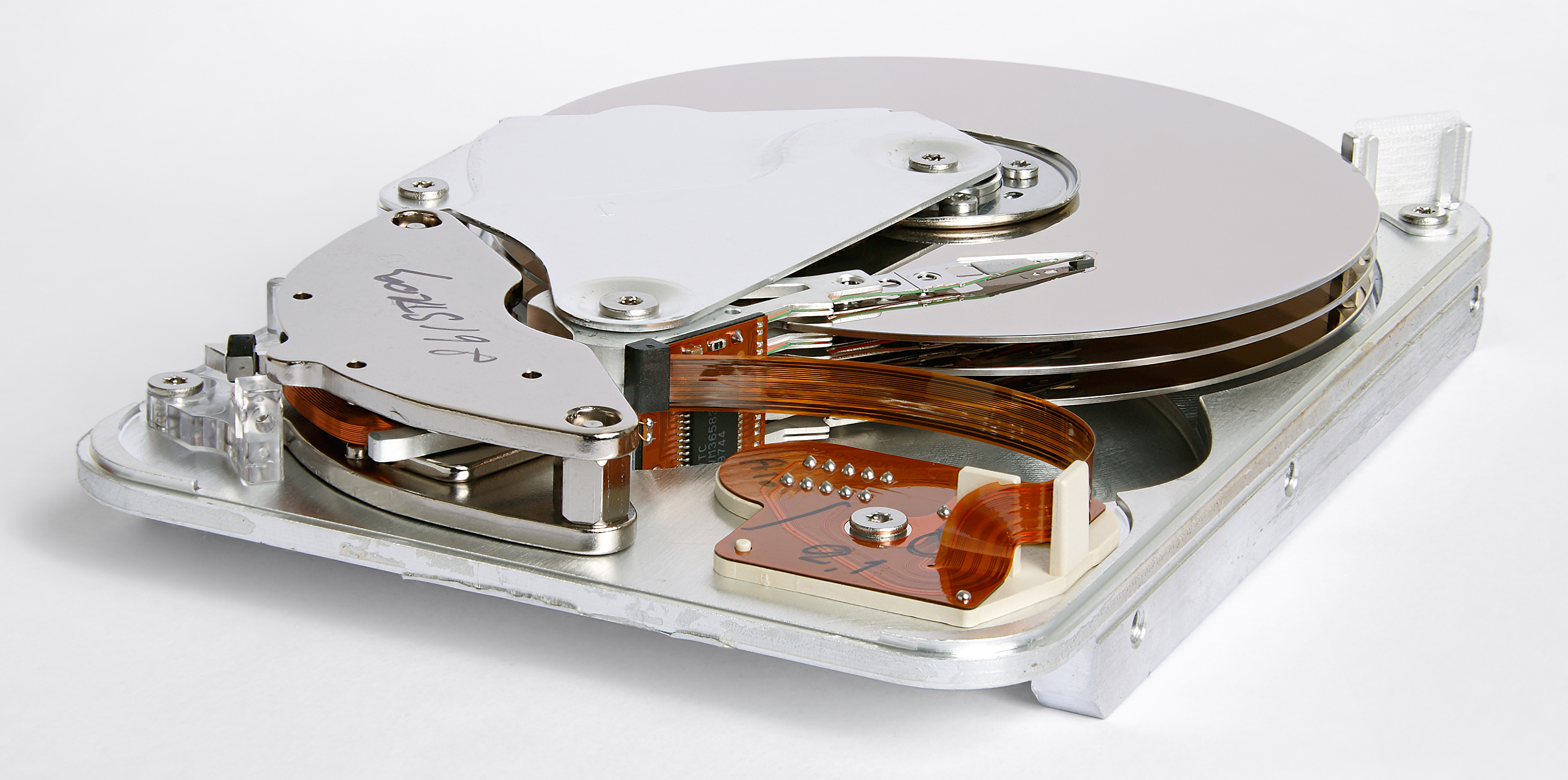
Inside view of a Seagate hard disk drive showing platters and read head

How to Check Hard Drive Health Before It Fails

Most hard drives give warning signs weeks before they fail completely. This guide walks through the tools and indicators that let you catch problems early — from reallocated sectors to spin-up time anomalies.

Read full guide →
DDR4 RAM module 16GB

Testing RAM: MemTest86 vs Windows Memory Diagnostic

A practical comparison of the two most common memory testing approaches for Windows 11 users.

Read more →
CPU cooler components and heatsink

CPU Running Hot? Safe Temperature Ranges Explained

What temperatures are actually dangerous for your processor, and when should you reapply thermal paste?

Read more →

Free Diagnostic Software Worth Using

These are the tools referenced throughout our guides — all free, widely trusted, and actively maintained.

01

CrystalDiskInfo

The go-to utility for reading SMART data on Windows. Shows health status, temperature, and all attribute values in a clean interface. Supports NVMe and USB drives.

HDD SSD NVMe SMART
02

MemTest86

Boots independently of Windows to test RAM at a hardware level. More thorough than the built-in Windows Memory Diagnostic, especially for detecting intermittent errors.

RAM DDR4 DDR5 Bootable
03

HWMonitor (CPUID)

Displays real-time temperatures, voltages, and fan speeds for CPU, GPU, and motherboard sensors. Useful for identifying thermal issues under load.

CPU Temp GPU Voltage Fan Speed
04

Windows Event Viewer

Built into Windows 11. Logs hardware errors, driver failures, and system warnings. Often the first place to look after an unexpected crash or blue screen.

Built-in BSOD System Logs Windows 11